https://learn.deeplearning.ai/courses/building-multimodal-search-and-rag/
Building Multimodal Search and RAG - DeepLearning.AI
Build smarter search and RAG applications for multimodal retrieval and generation.
learn.deeplearning.ai
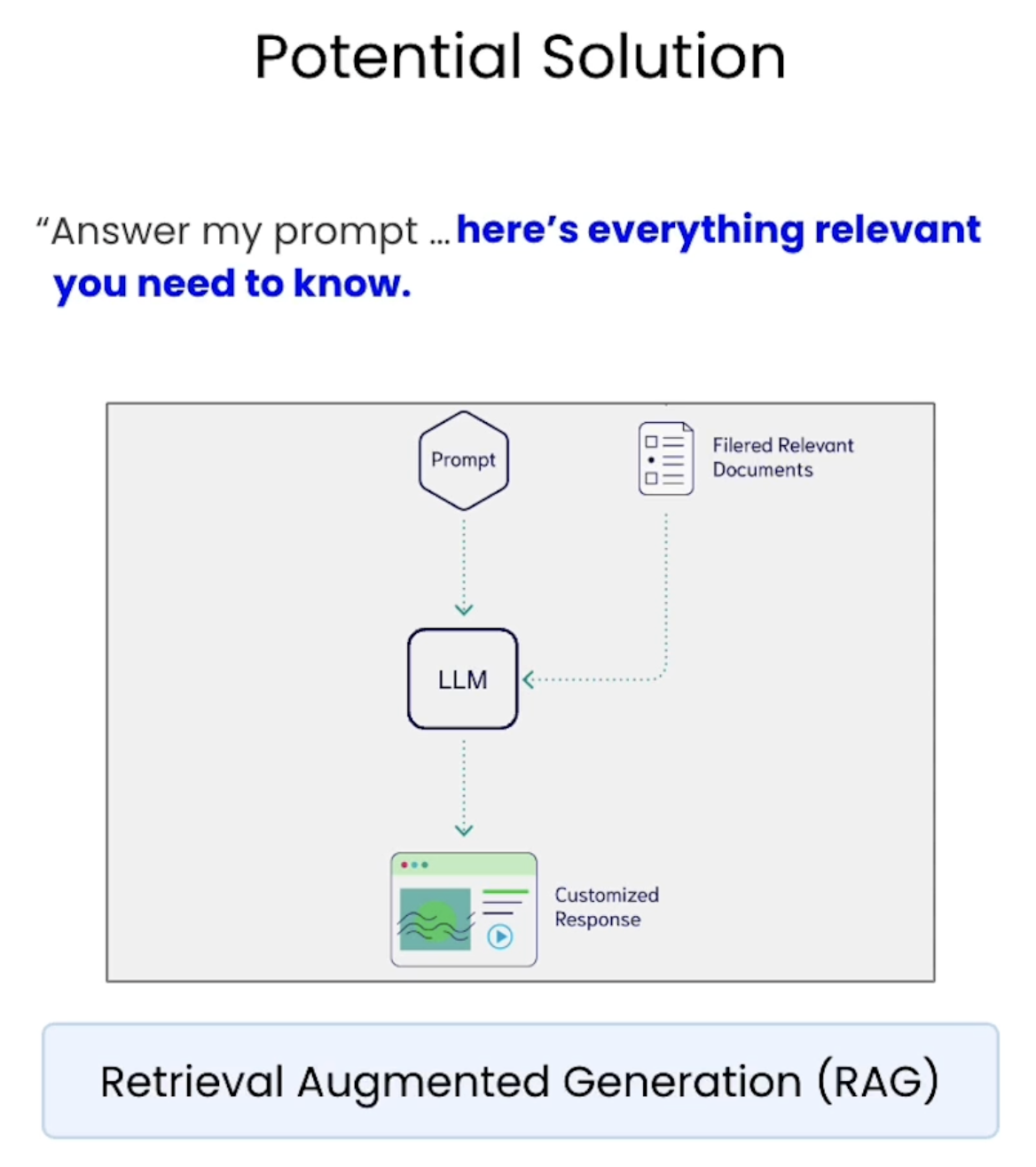
언어 모델에 프롬프트 형태로 질문만 제공하는 대신 질문과 함께 관련 정보 검색해 제공
모델은 검색 후 생성 작업 수행해 사용자가 질문에 답하기 전에 관련 정보 읽어올 수 있음
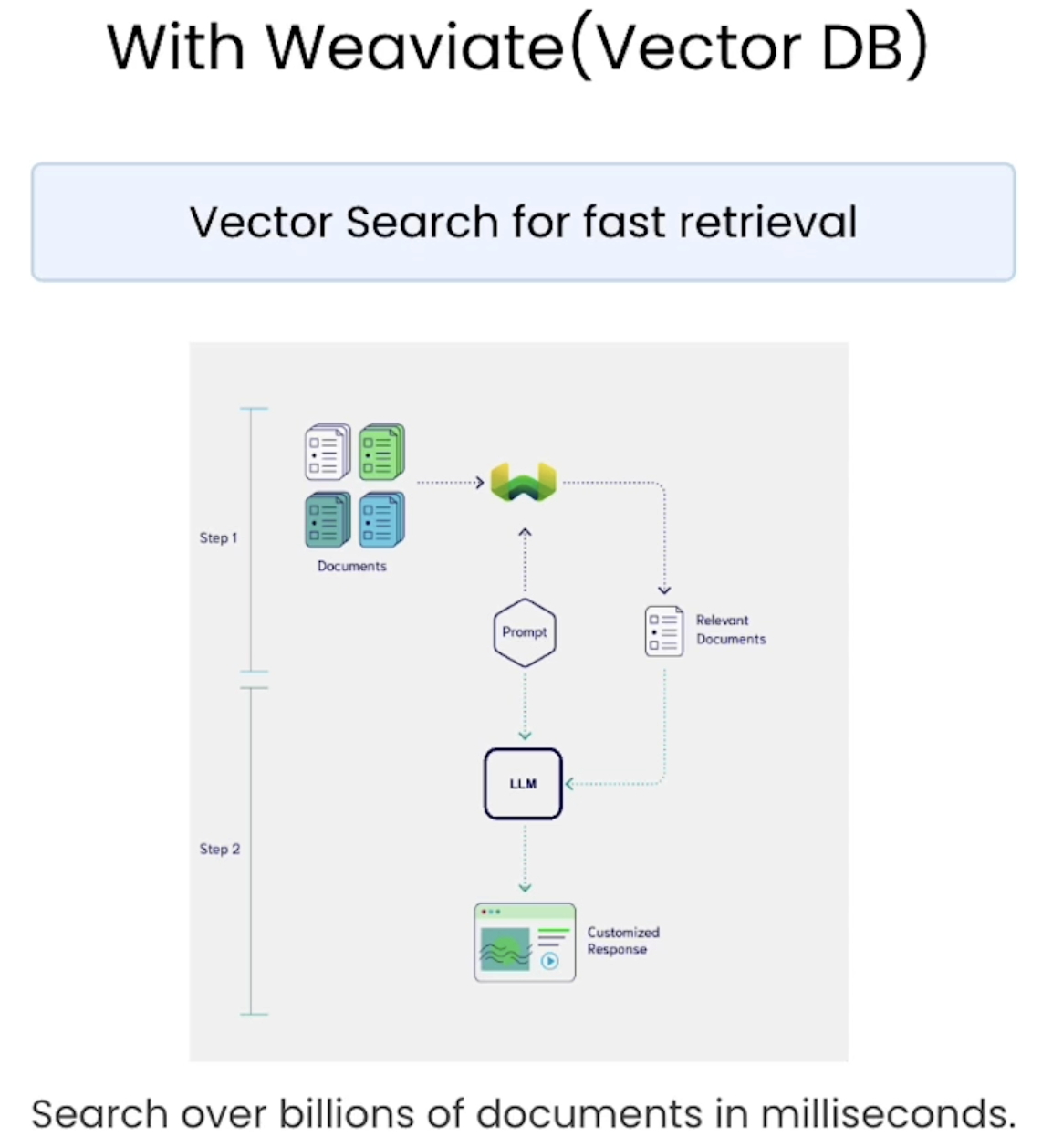
그 다음, 프롬프트 사용해 벡터 데이터베이스에서 가장 관련성 높은 문서를 검색하고
해당 관련 문서를 프롬프트와 함께 LLM의 컨텍스트 창에 전달
-> 언어 모델이 제공된 컨텍스트 기반으로 응답 생성하도록 도울 수 있음
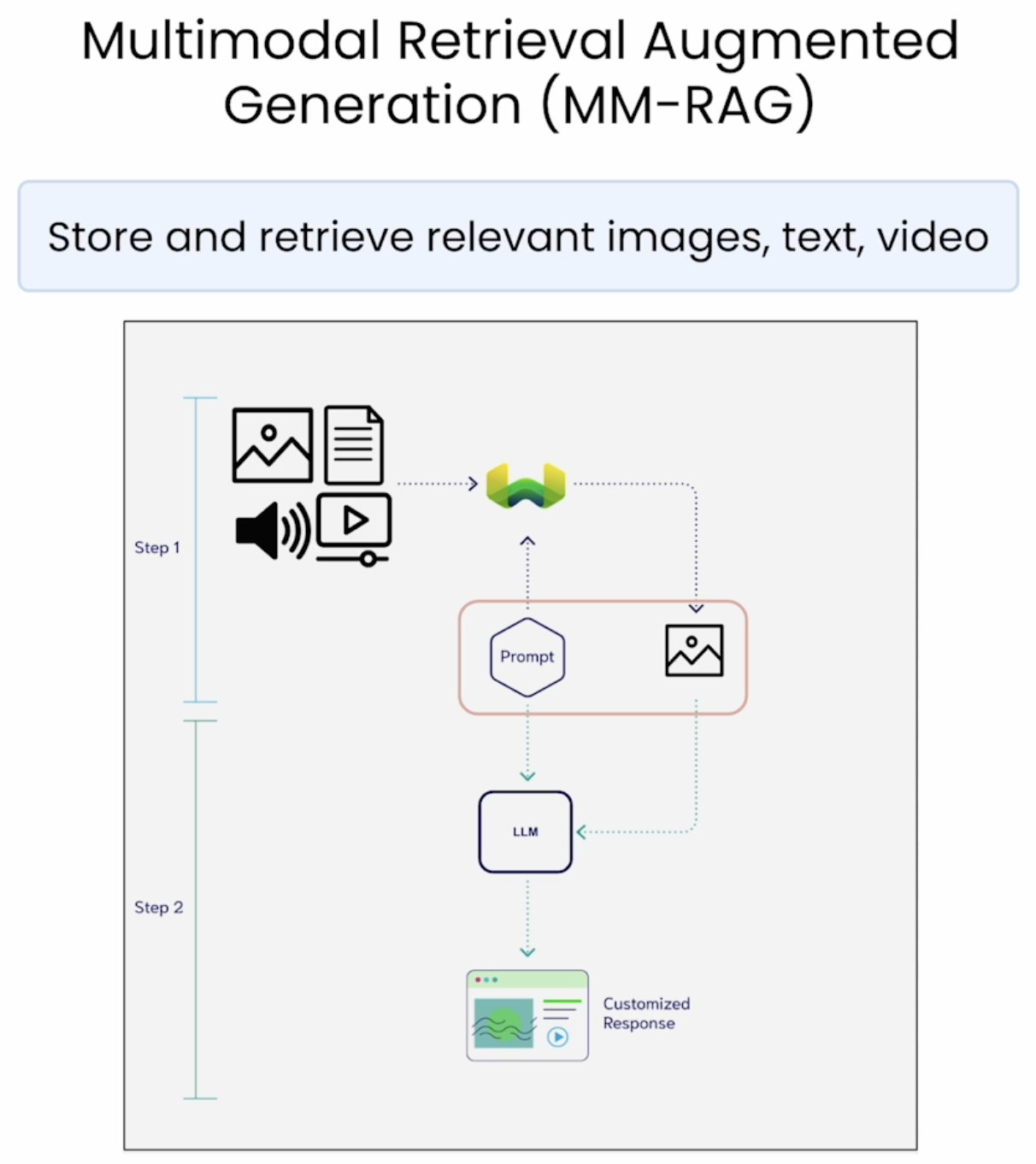
이미지, 비디오, 텍스트 저장하고 검색
해당 이미지를 텍스트 명령과 함께 대규모 멀티모달 모델에 전달 -> 멀티모달적 이해 바탕으로 한 응답 받음
=> Multimodal Retrieval Augmented Generation
증강 생성 통해 멀티모달 데이터 검색 가능
import warnings
warnings.filterwarnings("ignore")

import os
from dotenv import load_dotenv, find_dotenv
_ = load_dotenv(find_dotenv()) # read local .env file

EMBEDDING_API_KEY = os.getenv("EMBEDDING_API_KEY")
GOOGLE_API_KEY=os.getenv("GOOGLE_API_KEY")

# Connect to Weaviate
import weaviate

client = weaviate.connect_to_embedded(
    version="1.24.21",
    environment_variables={
        "ENABLE_MODULES": "backup-filesystem,multi2vec-palm",
        "BACKUP_FILESYSTEM_PATH": "/home/jovyan/work/L4/backups",
    },
    headers={
        "X-PALM-Api-Key": EMBEDDING_API_KEY,
    }
)

client.is_ready()
# Restore 13k+ prevectorized resources
client.collections.delete("Resources")
client.backup.restore(
backup_id="resources-img-and-vid",
include_collections="Resources",
backend="filesystem"
)
# It can take a few seconds for the "Resources" collection to be ready.
# We add 5 seconds of sleep to make sure it is ready for the next cells to use.
# Preview data count
import time
time.sleep(5)
from weaviate.classes.aggregate import GroupByAggregate
resources = client.collections.get("Resources")
response = resources.aggregate.over_all(
group_by=GroupByAggregate(prop="mediaType")
)
# print rounds names and the count for each
for group in response.groups:
print(f"{group.grouped_by.value} count: {group.total_count}")
Multimodal RAG
# Step 1 – Retrieve content from the database with a query
from IPython.display import Image
from weaviate.classes.query import Filter

def retrieve_image(query):
    resources = client.collections.get("Resources")
# ============
    response = resources.query.near_text(
        query=query,
        filters=Filter.by_property("mediaType").equal("image"), # only return image objects
        return_properties=["path"],
        limit = 1,
    )
# ============
    result = response.objects[0].properties
    return result["path"] # Get the image path

# Run image retrieval
# Try with different queries to retreive an image
img_path = retrieve_image("fishing with my buddies")
display(Image(img_path))
# Step 2 - Generate a description of the image

import google.generativeai as genai
from google.api_core.client_options import ClientOptions

# Set the Vision model key
genai.configure(
        api_key=GOOGLE_API_KEY,
        transport="rest",
        client_options=ClientOptions(
            api_endpoint=os.getenv("GOOGLE_API_BASE"),
        ),
)

# Helper function
import textwrap
import PIL.Image
from IPython.display import Markdown, Image

def to_markdown(text):
    text = text.replace("•", "  *")
    return Markdown(textwrap.indent(text, "> ", predicate=lambda _: True))

def call_LMM(image_path: str, prompt: str) -> str:
    img = PIL.Image.open(image_path)

    model = genai.GenerativeModel("gemini-1.5-flash")
    response = model.generate_content([prompt, img], stream=False)
    response.resolve()

    return to_markdown(response.text)

call_LMM(img_path, "Please describe this image in detail.")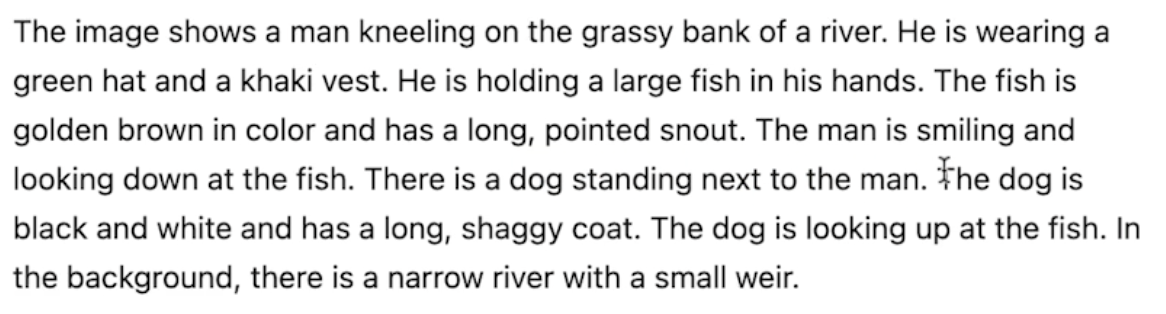
# All together

def mm_rag(query):
    # Step 1 - retrieve an image – Weaviate
    SOURCE_IMAGE = retrieve_image(query)
    display(Image(SOURCE_IMAGE))
#===========

    # Step 2 - generate a description - GPT4
    description = call_LMM(SOURCE_IMAGE, "Please describe this image in detail.")
    return description

# Call mm_rag function
mm_rag("paragliding through the mountains")

# Remember to close the weaviate instance
client.close()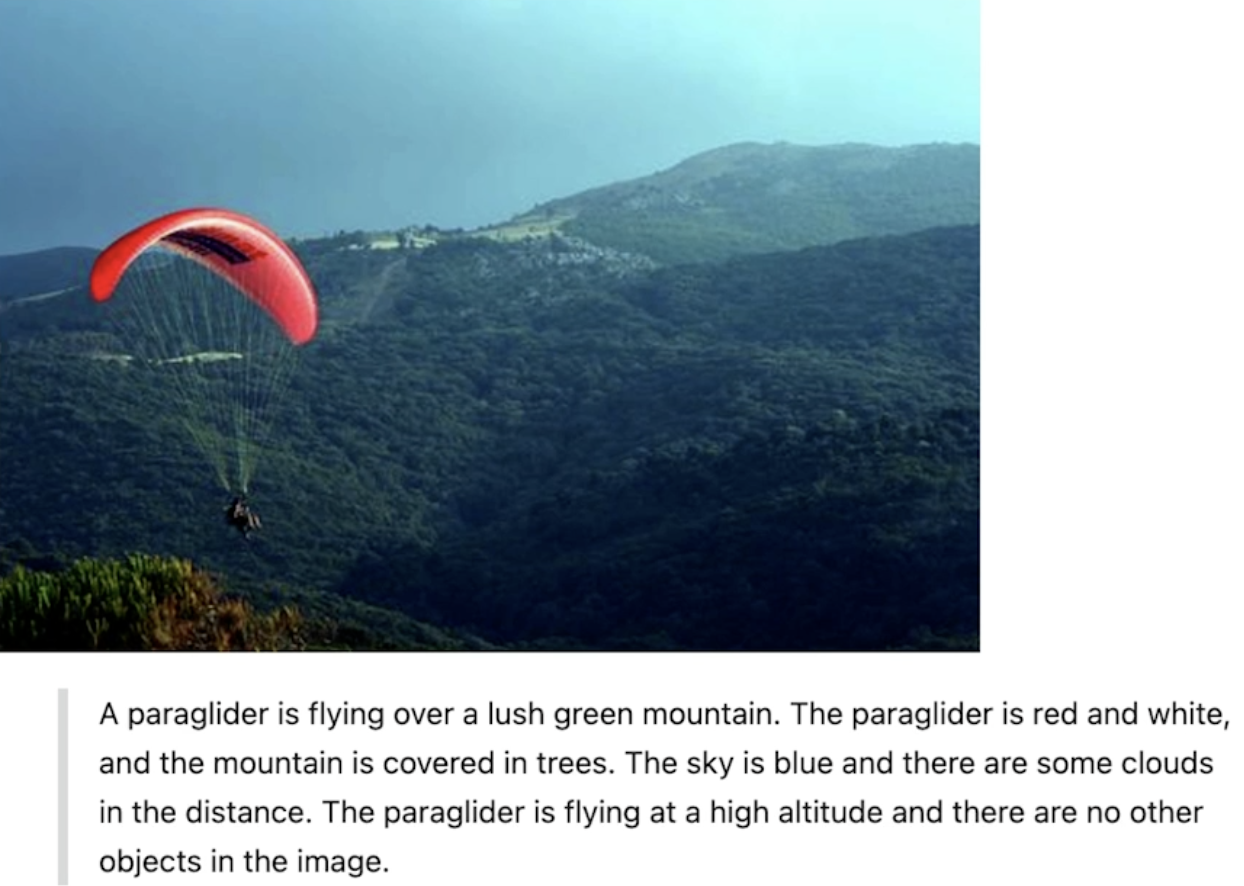
Retrieval model과 Generation model 결합하는 방법 배울 수 있었음!
두 모델은 완전히 다른 모델이었지만 하나의 기능으로 결합되는 무언가를 만들 수 있음
'LLM' 카테고리의 다른 글
| RAG - Multimodal Recommender System (0) | 2026.02.19 |
|---|---|
| RAG - Industry Applications (0) | 2026.02.19 |
| RAG - Large Multimodal models (0) | 2026.02.15 |
| RAG - Multimodal search (0) | 2026.02.15 |
| RAG - Overview of multimodality (0) | 2026.02.13 |


