https://learn.deeplearning.ai/courses/building-multimodal-search-and-rag/
Building Multimodal Search and RAG - DeepLearning.AI
Build smarter search and RAG applications for multimodal retrieval and generation.
learn.deeplearning.ai
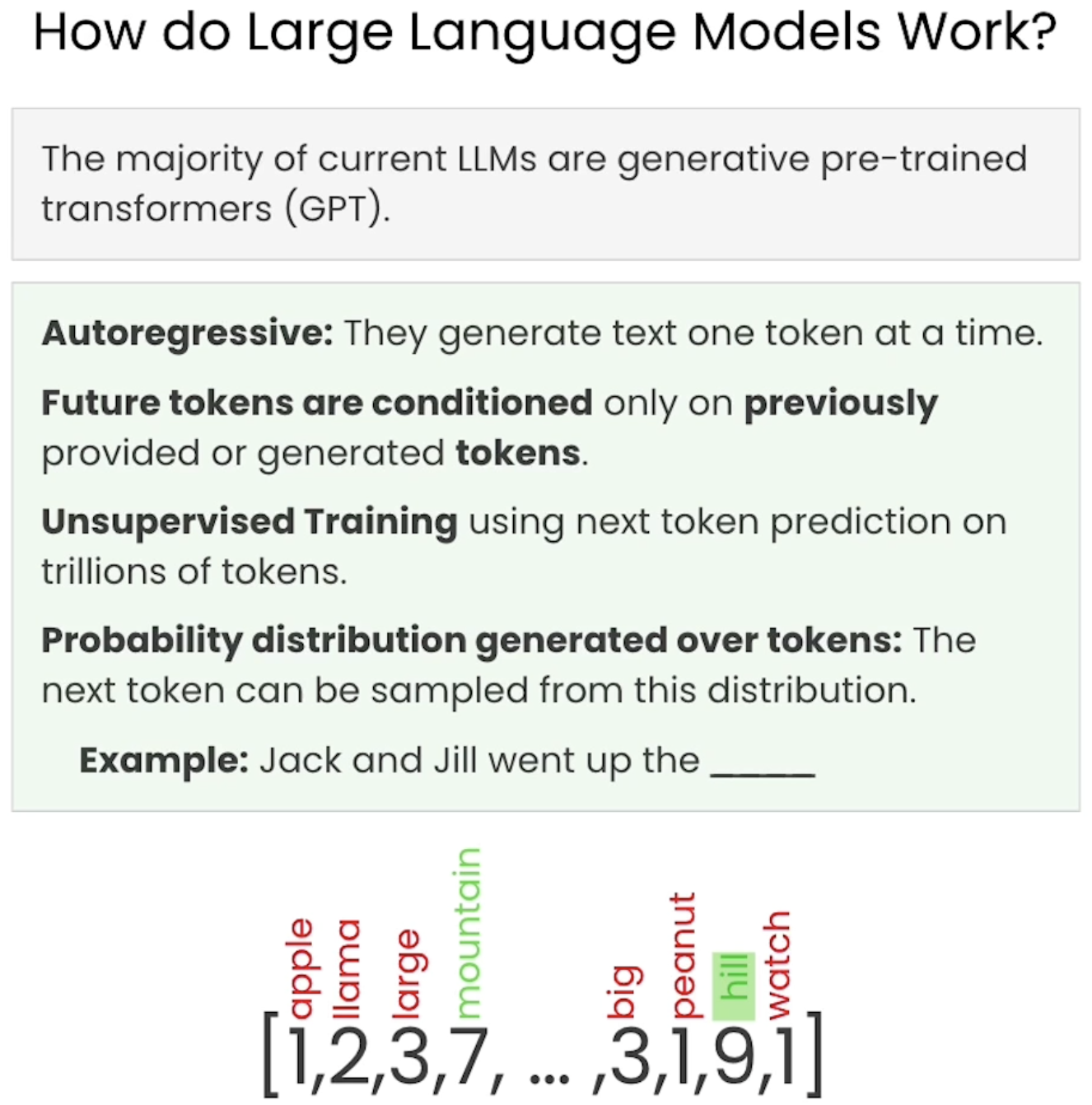
현재 LLM은 모두 생성형 사전 학습 트랜스포머임 (Llama2, Chat-GPT, Mistral 등)
이런 모델은 한 번에 하나의 토큰 또는 단어 조각을 생성하기 때문에 자기회귀적
-> 생성되는 다음 토큰은 이전에 제공되거나 생성된 토큰에만 의존
이런 모델은 비지도 학습 방식으로 훈련됨
수조 개의 토큰에 대해 다음 단어를 예측하는 방식으로 훈련됨
훈련 과정에서 모델은 가능한 모든 다음 토큰에 대한 확률 출력
우리는 이 확률이 정확하도록 모델을 훈련
e.g. Jack and Jill went up the ____
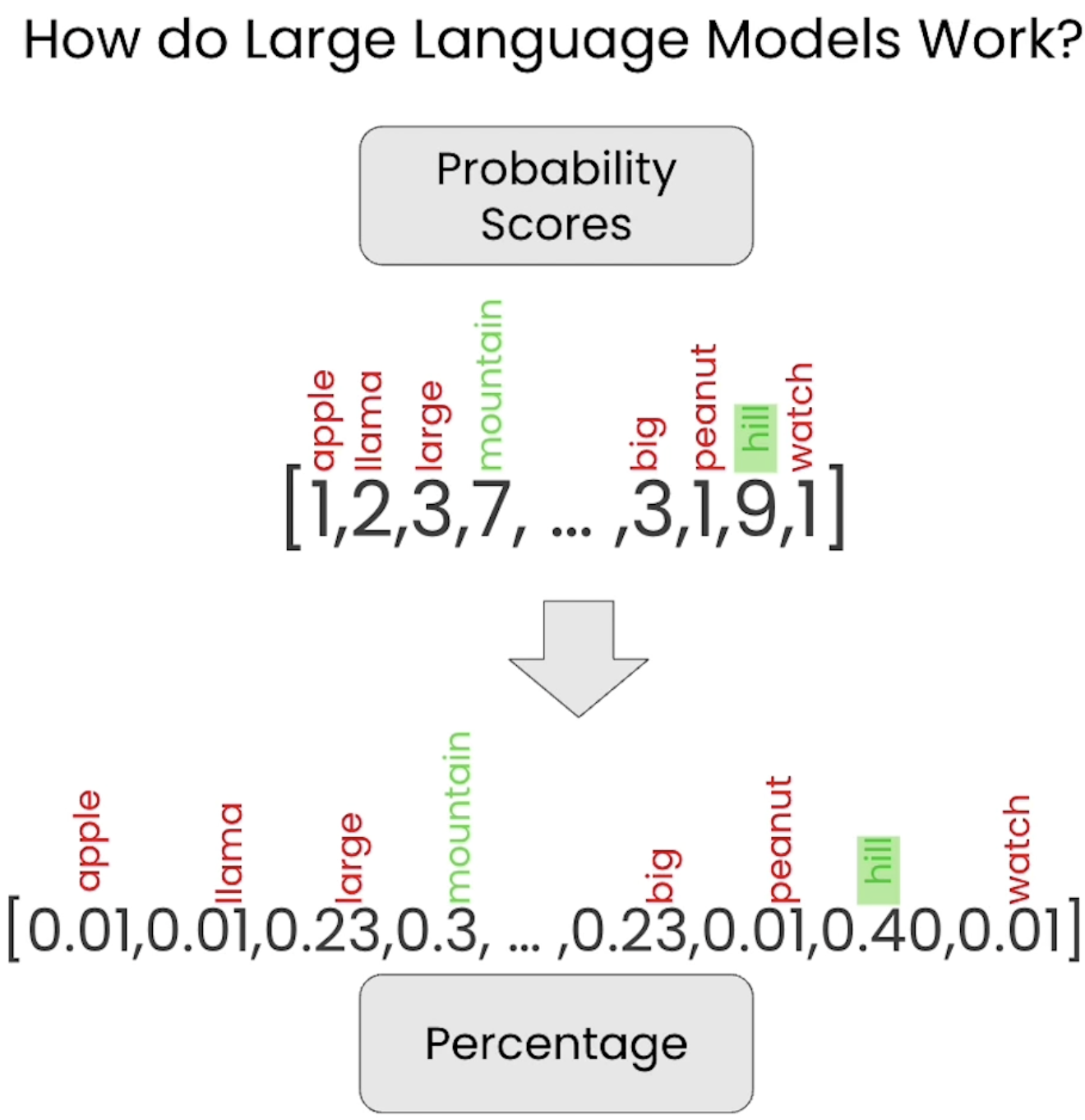
모든 토큰에 대한 점수 출력
-> mountain이나 hill처럼 프로토콜 관련성 높은 토큰일수록 점수 높고 apple이나 llama처럼 프로토콜 관련성 낮은 토큰일수록 점수 낮음
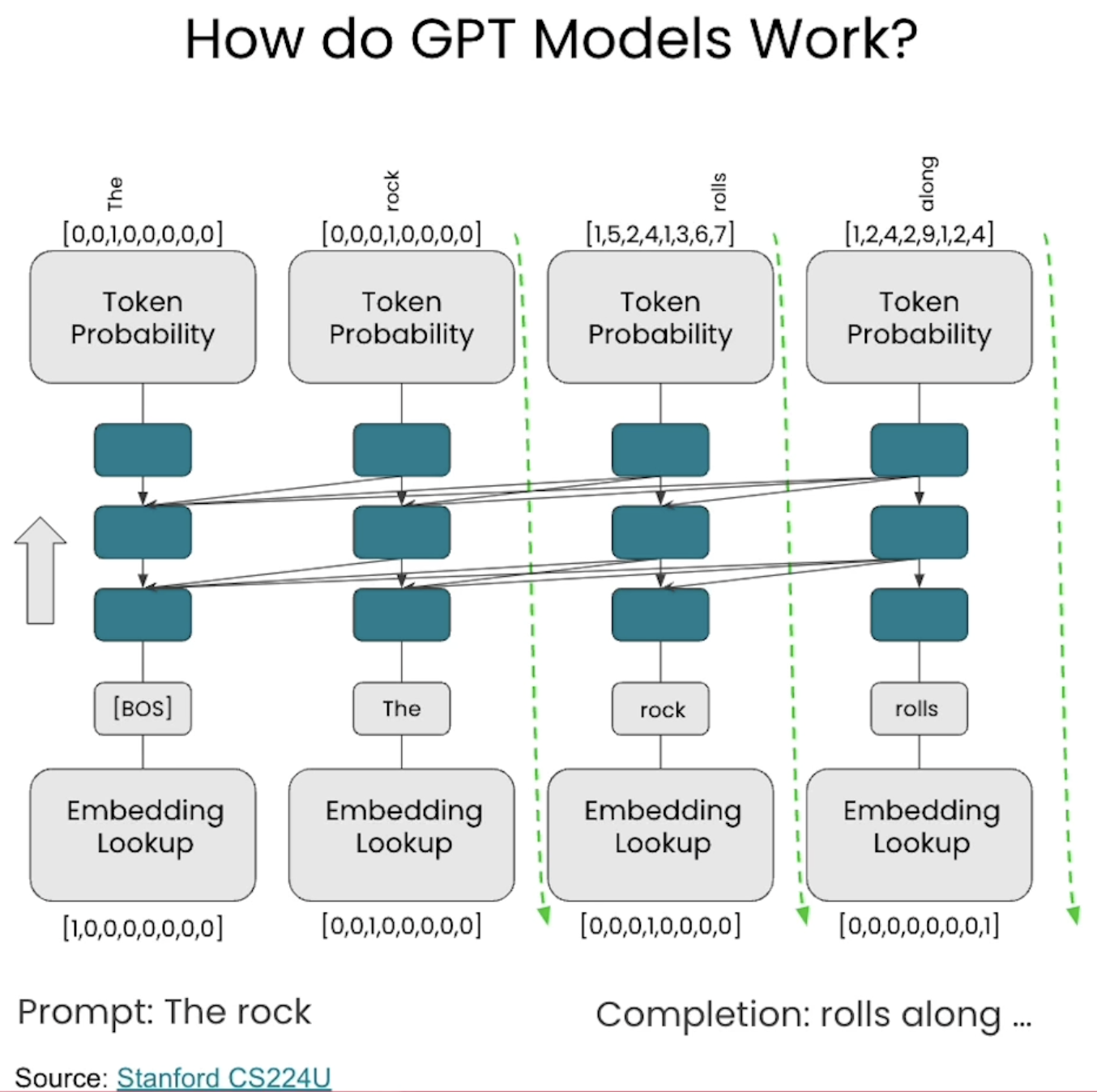
각 단어를 표현하기 위해 하나 또는 두 개의 벡터 사용, 각 토큰에 대한 임베딩 찾음

이미지 입력받아 class label 출력
ViT는 이미지를 개별 픽셀이 아닌 패턴으로 처리하기 때문에 이런 분류 작업에 매우 효과적
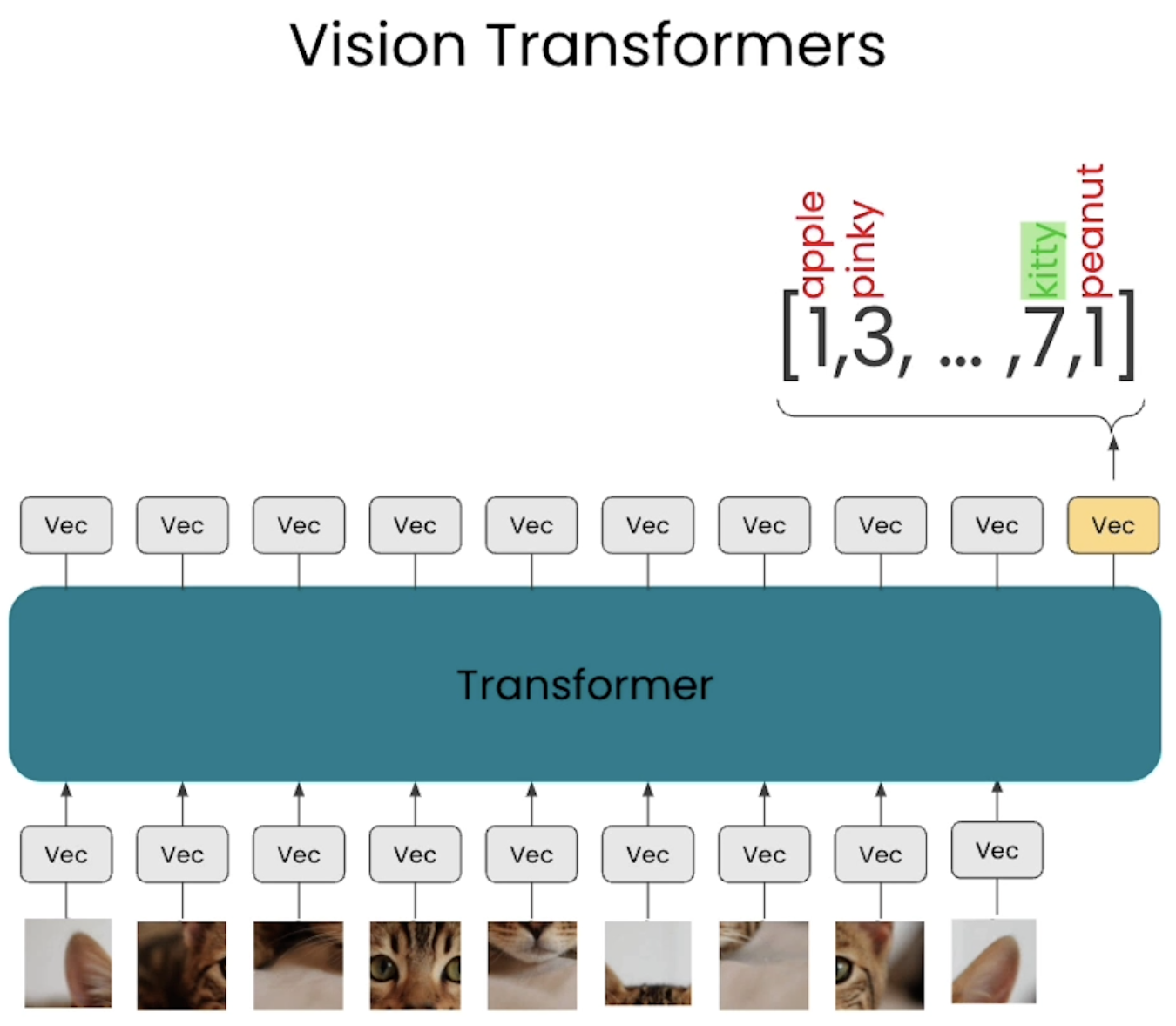
트랜스포머는 이미지의 특정 부분에 집중할 수 있음 -> 올바른 레이블 출력하도록 최적화됨
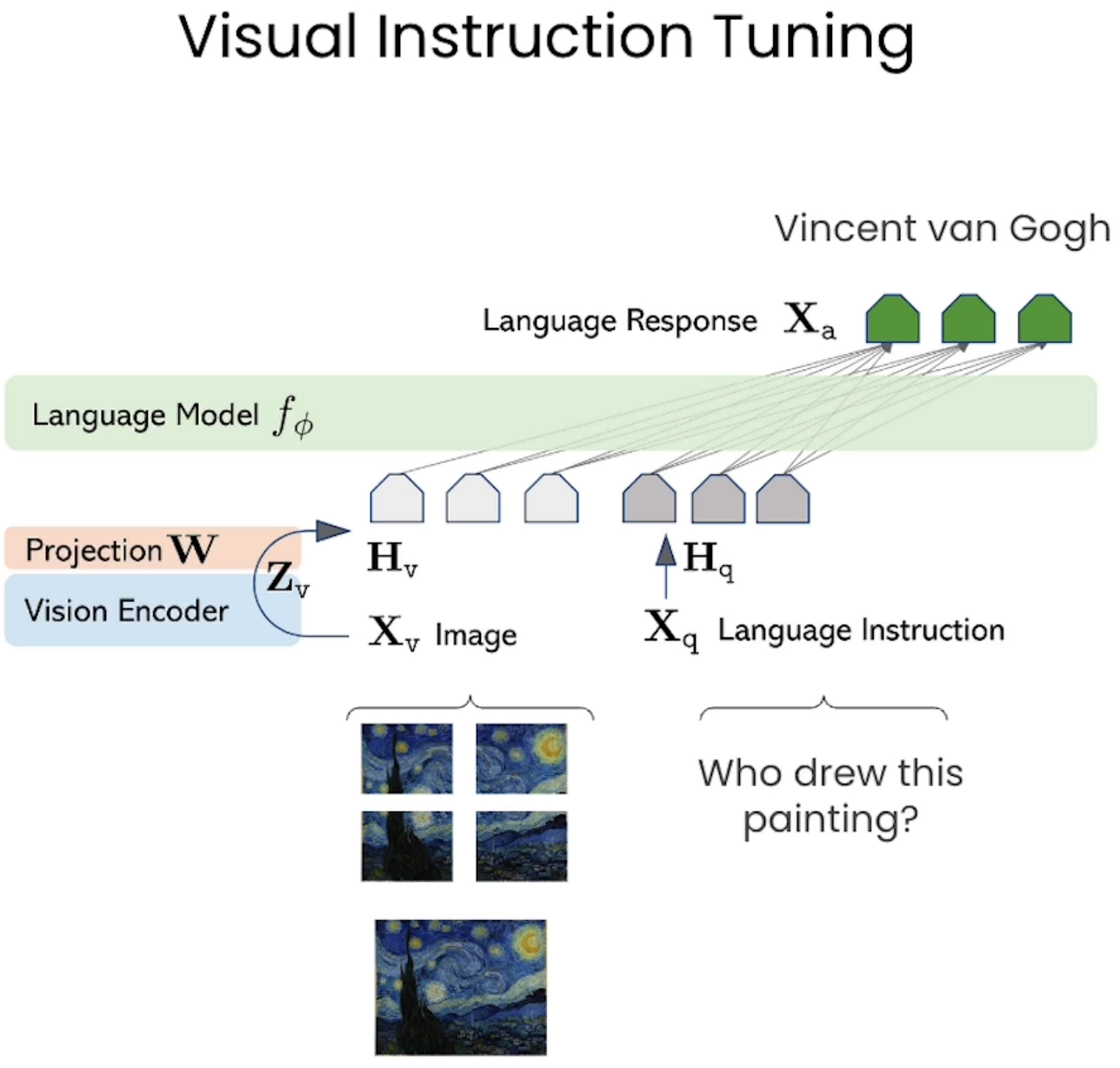
이미지를 여러 부분으로 나눔 이미지의 각 부분을 가져와 벡터로 임베딩
문장에서 추출한 토큰들을 지시문으로 만들어 벡터로 임베딩
이미지 패치 토큰과 언어 토큰 모두 이해하고 주의 깊게 살펴보도록 훈련시키고 '빈센트 반 고흐'에 대한 올바른 토큰 출력해야함 -> Visual Instruction tuning
import warnings
warnings.filterwarnings('ignore')

import os
from dotenv import load_dotenv, find_dotenv

_ = load_dotenv(find_dotenv()) # read local .env file
GOOGLE_API_KEY=os.getenv('GOOGLE_API_KEY')

# Set the genai library
import google.generativeai as genai
from google.api_core.client_options import ClientOptions

genai.configure(
        api_key=GOOGLE_API_KEY,
        transport="rest",
        client_options=ClientOptions(
            api_endpoint=os.getenv("GOOGLE_API_BASE"),
        ),
)

# Helper functions
import textwrap
import PIL.Image
from IPython.display import Markdown, Image

def to_markdown(text):
    text = text.replace('•', '  *')
    return Markdown(textwrap.indent(text, '> ', predicate=lambda _: True))

def call_LMM(image_path: str, prompt: str) -> str:
    # Load the image
    img = PIL.Image.open(image_path)

    # Call generative model
    model = genai.GenerativeModel('gemini-1.5-flash')
    response = model.generate_content([prompt, img], stream=False)
    response.resolve()

    return to_markdown(response.text)
Analyze images with an LMM
# Pass in an image and see if the LMM can answer questions about it
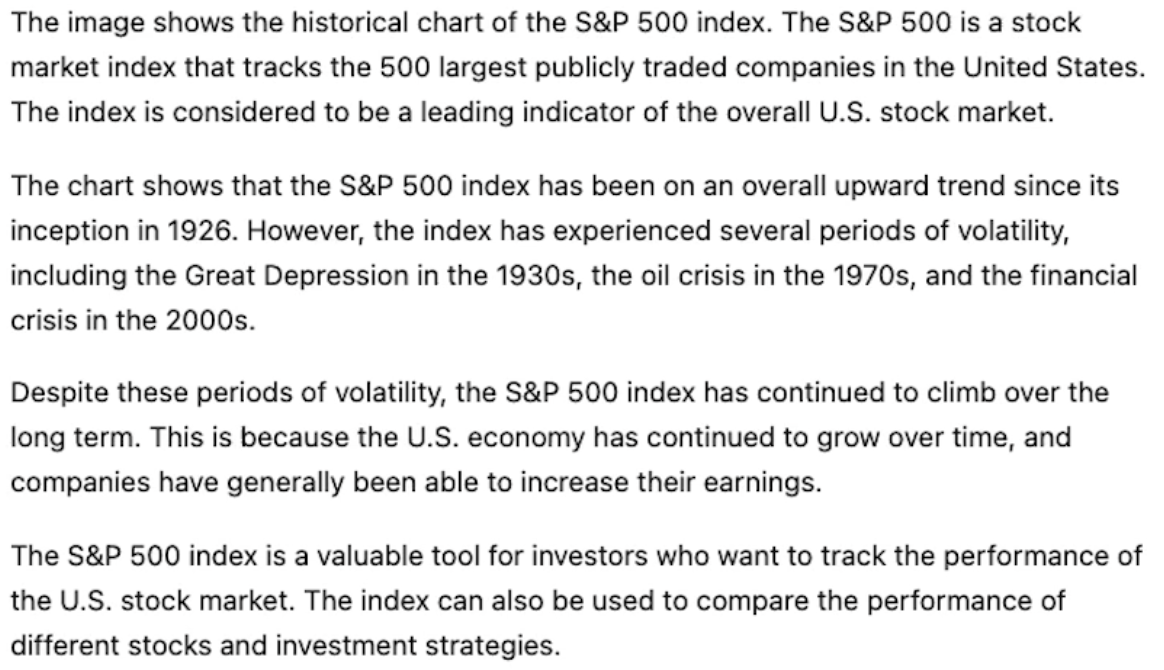
Image(url= "SP-500-Index-Historical-Chart.jpg")

# Use the LMM function
call_LMM("SP-500-Index-Historical-Chart.jpg",
    "Explain what you see in this image.")
Analyze a harder image
Image(url= "clip.png")

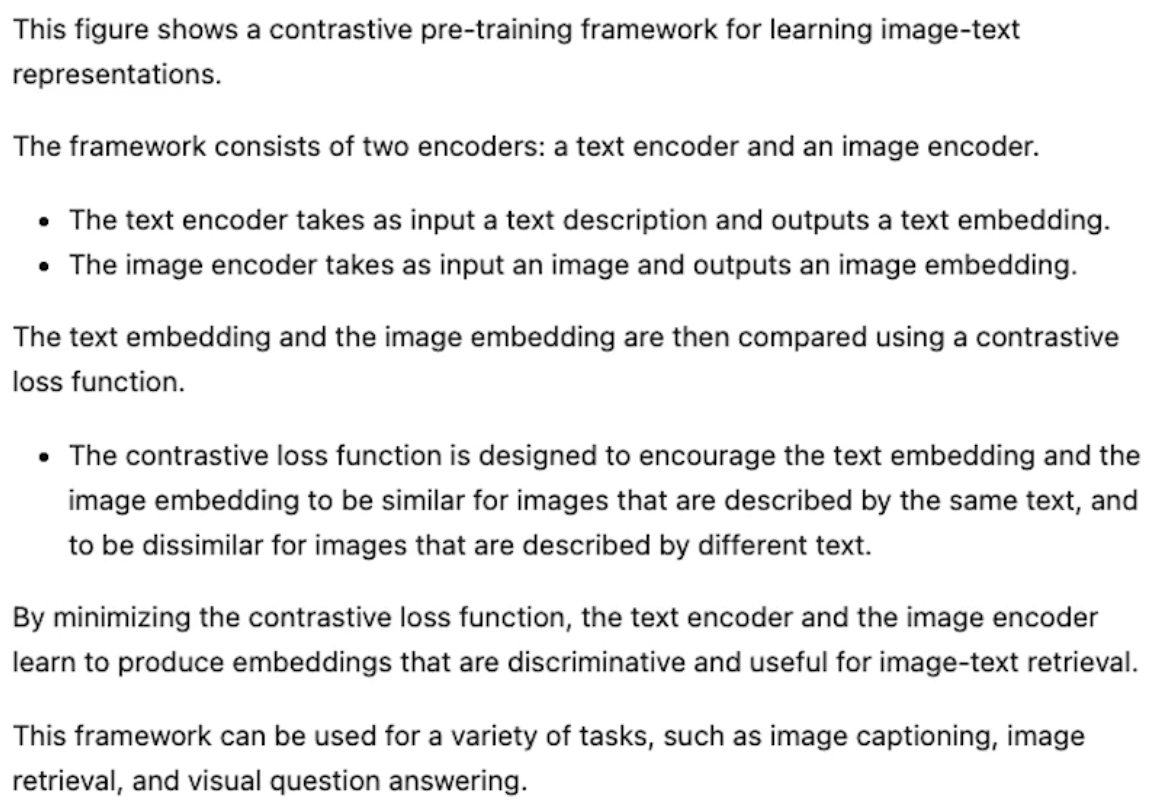
call_LMM("clip.png",
    "Explain what this figure is and where is this used.")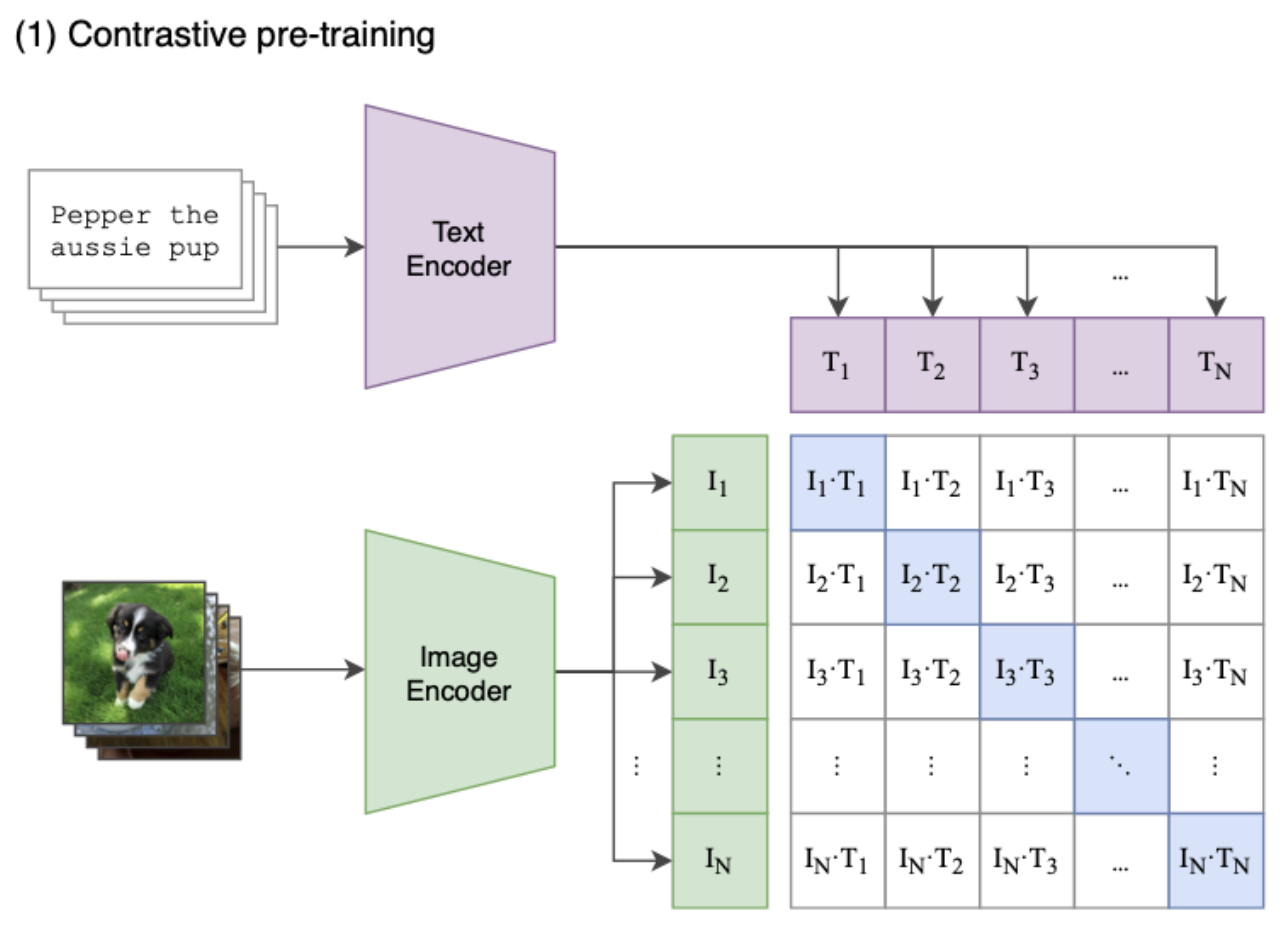
머 이런식으로 응용할 수 있겠군요,,,, !
'LLM' 카테고리의 다른 글
| RAG - Industry Applications (0) | 2026.02.19 |
|---|---|
| RAG - Multimodal RAG (MM-RAG) (0) | 2026.02.19 |
| RAG - Multimodal search (0) | 2026.02.15 |
| RAG - Overview of multimodality (0) | 2026.02.13 |
| LangChain - Agents (0) | 2026.01.19 |


